> ## Documentation Index
> Fetch the complete documentation index at: https://doc.gapstack.dev/llms.txt
> Use this file to discover all available pages before exploring further.
# Webhooks
> Send HTTP notifications to an external system when Gapstack resources change.
Use a webhook to notify an external system when something changes in Gapstack. You choose the events and an HTTPS endpoint. Gapstack sends a **POST** request to that URL when one of those events occurs.
You can use the payload to start a pipeline, update another system, or trigger any automation that should run after a change in Gapstack.
You can set up webhooks at the **project** level or the **environment** level. Open **Webhooks** on the project or on the environment, depending on where you want the subscription.
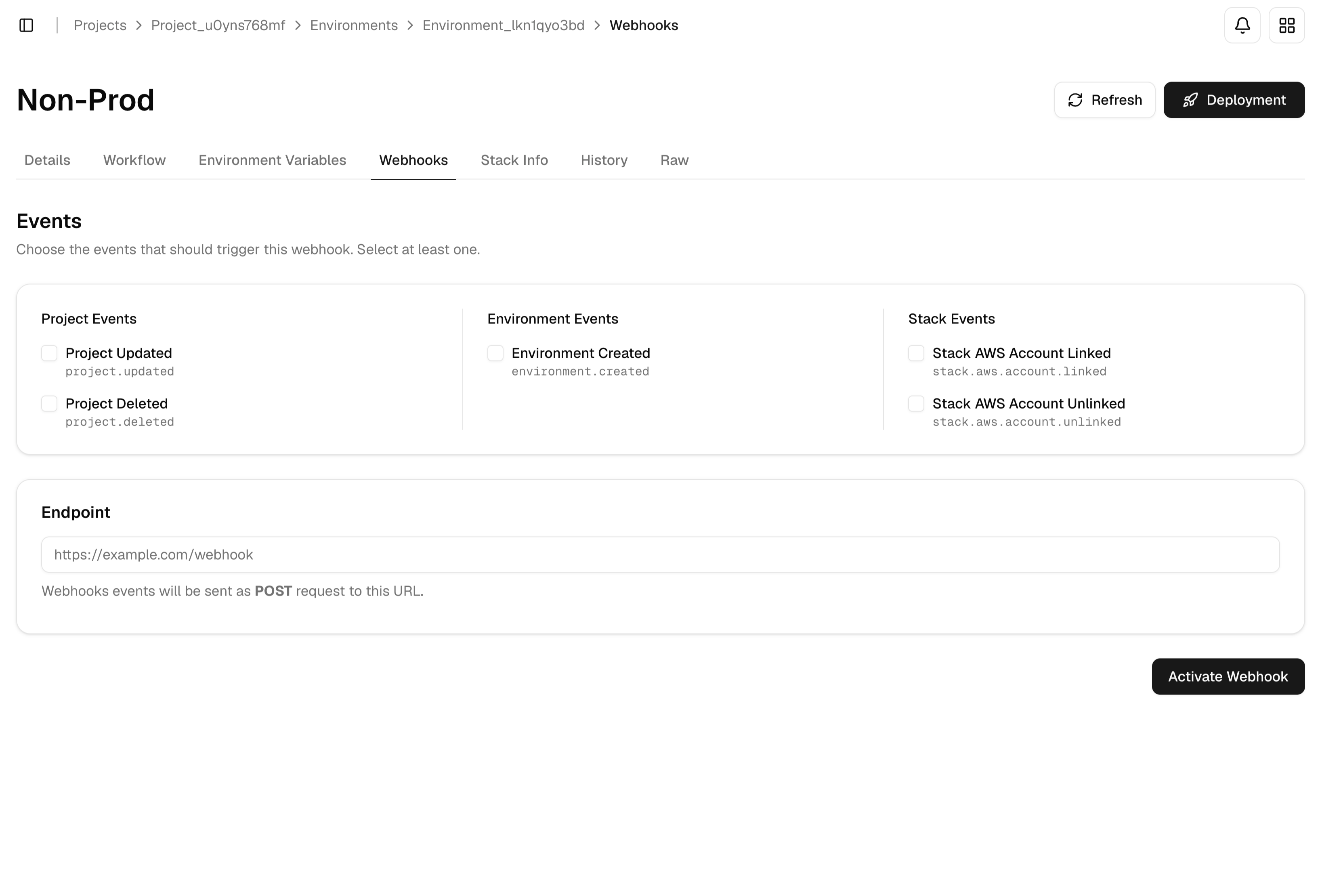 ## Events
Select at least one event.
| Event | Key | When it fires |
| ------------------------------ | ---------------------------- | -------------------------- |
| **Project Updated** | `project.updated` | A project is updated |
| **Project Deleted** | `project.deleted` | A project is deleted |
| **Environment Created** | `environment.created` | An environment is created |
| **Stack AWS Account Linked** | `stack.aws.account.linked` | An AWS account is linked |
| **Stack AWS Account Unlinked** | `stack.aws.account.unlinked` | An AWS account is unlinked |
## Add a webhook
Open a **project** or an **environment**, then click **Webhooks**.
Select the events that should notify your system.
Enter the HTTPS URL that should receive the POST request, such as `https://example.com/webhook`.
Click **Activate Webhook**. Gapstack starts sending POST requests to the endpoint for the events you selected.
Your endpoint must accept POST requests and return a success status. If the endpoint is down, Gapstack cannot deliver the event.
## Events
Select at least one event.
| Event | Key | When it fires |
| ------------------------------ | ---------------------------- | -------------------------- |
| **Project Updated** | `project.updated` | A project is updated |
| **Project Deleted** | `project.deleted` | A project is deleted |
| **Environment Created** | `environment.created` | An environment is created |
| **Stack AWS Account Linked** | `stack.aws.account.linked` | An AWS account is linked |
| **Stack AWS Account Unlinked** | `stack.aws.account.unlinked` | An AWS account is unlinked |
## Add a webhook
Open a **project** or an **environment**, then click **Webhooks**.
Select the events that should notify your system.
Enter the HTTPS URL that should receive the POST request, such as `https://example.com/webhook`.
Click **Activate Webhook**. Gapstack starts sending POST requests to the endpoint for the events you selected.
Your endpoint must accept POST requests and return a success status. If the endpoint is down, Gapstack cannot deliver the event.