> ## Documentation Index
> Fetch the complete documentation index at: https://doc.gapstack.dev/llms.txt
> Use this file to discover all available pages before exploring further.
# Supported AWS resources
> Resource types you can provision in your AWS account from Gapstack.
Gapstack can provision these resource types in **your** AWS account. Add them to an environment from **Select Resources**.
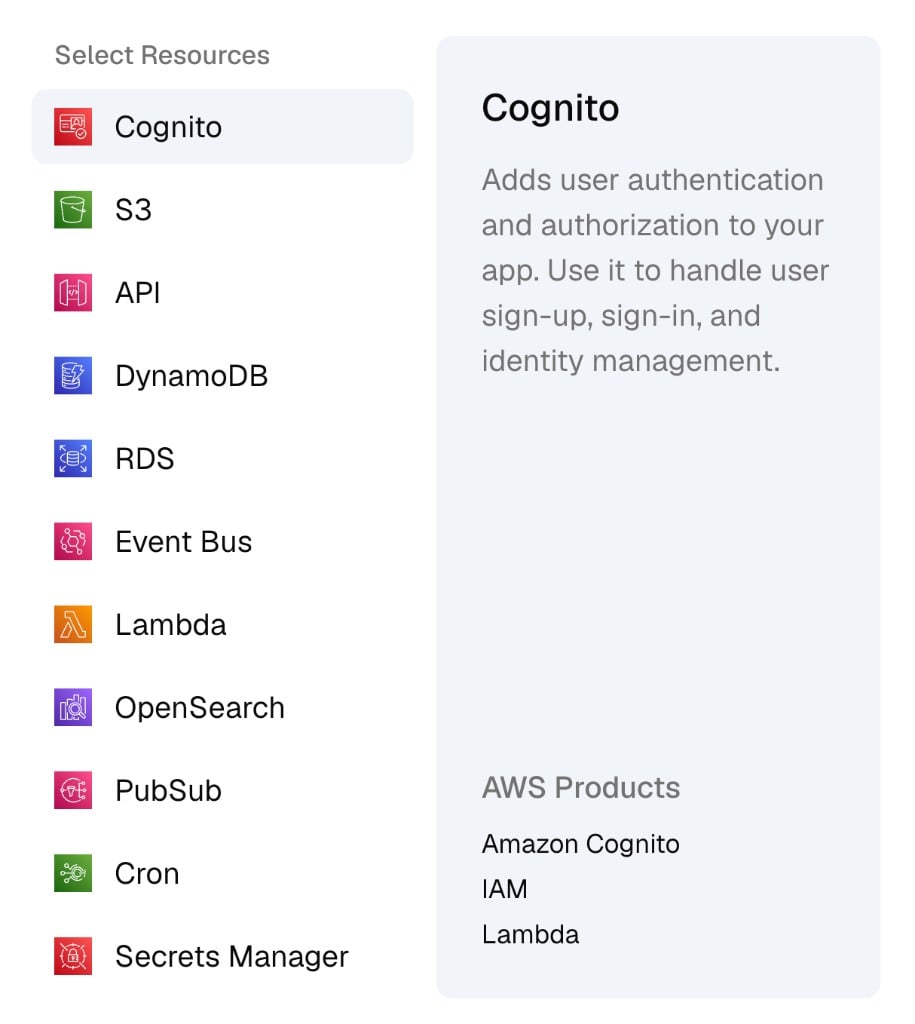 | Resource | What you use it for |
| ------------------- | -------------------------------------------------------------------------------------------------- |
| **Cognito** | User sign-up, sign-in, and identity management |
| **S3** | Object storage |
| **API** | HTTP API in front of your services |
| **DynamoDB** | Key-value and document database |
| **RDS** | Relational database |
| **Event Bus** | Event routing between services |
| **Lambda** | Serverless functions. Upload an [artifact](/guides/deploy-lambda) before you create this resource. |
| **OpenSearch** | Search and analytics |
| **PubSub** | Publish and subscribe messaging |
| **Cron** | Scheduled jobs |
| **Secrets Manager** | Secrets and credentials |
## Add a resource
Each resource type has its own form. After you click **Add resources** and choose a type, Gapstack opens the fields for that type. You enter the details, then save. Gapstack adds the resource to the environment.
Cognito is one example. Its form collects the user pool and related settings. You do not fill a generic form and map it to AWS yourself.
Open the environment, then click **Add resources**.
Select a resource, such as **Cognito**. The right pane shows what that type provisions.
Enter the details for that resource, then click **Create**. Repeat for each type you need.
## Example: Add Cognito
The **Add Cognito** form collects the user pool, password policy, and configuration. Fill it in, then click **Create**. Gapstack adds the resource to the environment.
| Resource | What you use it for |
| ------------------- | -------------------------------------------------------------------------------------------------- |
| **Cognito** | User sign-up, sign-in, and identity management |
| **S3** | Object storage |
| **API** | HTTP API in front of your services |
| **DynamoDB** | Key-value and document database |
| **RDS** | Relational database |
| **Event Bus** | Event routing between services |
| **Lambda** | Serverless functions. Upload an [artifact](/guides/deploy-lambda) before you create this resource. |
| **OpenSearch** | Search and analytics |
| **PubSub** | Publish and subscribe messaging |
| **Cron** | Scheduled jobs |
| **Secrets Manager** | Secrets and credentials |
## Add a resource
Each resource type has its own form. After you click **Add resources** and choose a type, Gapstack opens the fields for that type. You enter the details, then save. Gapstack adds the resource to the environment.
Cognito is one example. Its form collects the user pool and related settings. You do not fill a generic form and map it to AWS yourself.
Open the environment, then click **Add resources**.
Select a resource, such as **Cognito**. The right pane shows what that type provisions.
Enter the details for that resource, then click **Create**. Repeat for each type you need.
## Example: Add Cognito
The **Add Cognito** form collects the user pool, password policy, and configuration. Fill it in, then click **Create**. Gapstack adds the resource to the environment.
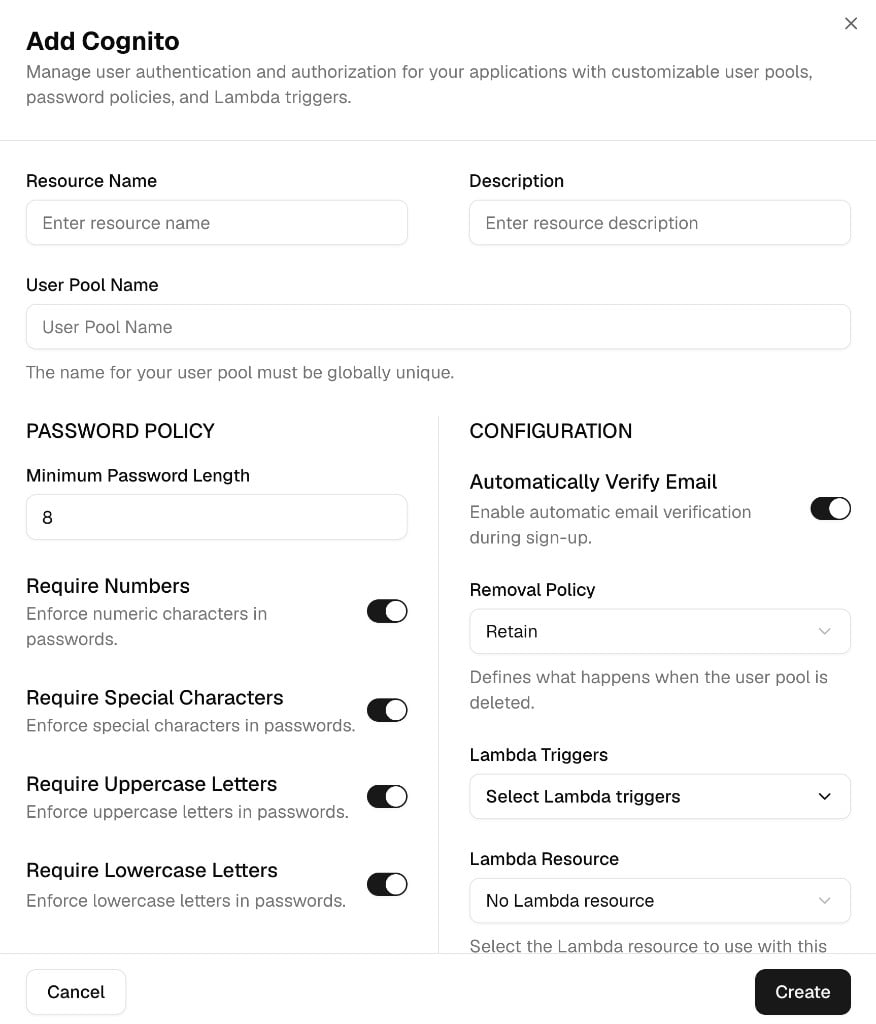 | Field | What to enter |
| ------------------------------ | ---------------------------------------------------------------------------- |
| **Resource Name** | Name for the resource in Gapstack |
| **Description** | Short description of the resource |
| **User Pool Name** | Cognito user pool name. It must be globally unique. |
| **Minimum Password Length** | Minimum length. The form defaults to `8`. |
| **Require Numbers** | Require digits in passwords |
| **Require Special Characters** | Require symbols in passwords |
| **Require Uppercase Letters** | Require uppercase letters in passwords |
| **Require Lowercase Letters** | Require lowercase letters in passwords |
| **Automatically Verify Email** | Verify email addresses during sign-up |
| **Removal Policy** | What happens when the user pool is deleted. The form defaults to **Retain**. |
| **Lambda Triggers** | Optional Cognito Lambda triggers |
| **Lambda Resource** | Optional Lambda resource to attach to those triggers |
If the resource you need is not on this list, contact us. We add new resource types within two weeks.
| Field | What to enter |
| ------------------------------ | ---------------------------------------------------------------------------- |
| **Resource Name** | Name for the resource in Gapstack |
| **Description** | Short description of the resource |
| **User Pool Name** | Cognito user pool name. It must be globally unique. |
| **Minimum Password Length** | Minimum length. The form defaults to `8`. |
| **Require Numbers** | Require digits in passwords |
| **Require Special Characters** | Require symbols in passwords |
| **Require Uppercase Letters** | Require uppercase letters in passwords |
| **Require Lowercase Letters** | Require lowercase letters in passwords |
| **Automatically Verify Email** | Verify email addresses during sign-up |
| **Removal Policy** | What happens when the user pool is deleted. The form defaults to **Retain**. |
| **Lambda Triggers** | Optional Cognito Lambda triggers |
| **Lambda Resource** | Optional Lambda resource to attach to those triggers |
If the resource you need is not on this list, contact us. We add new resource types within two weeks.